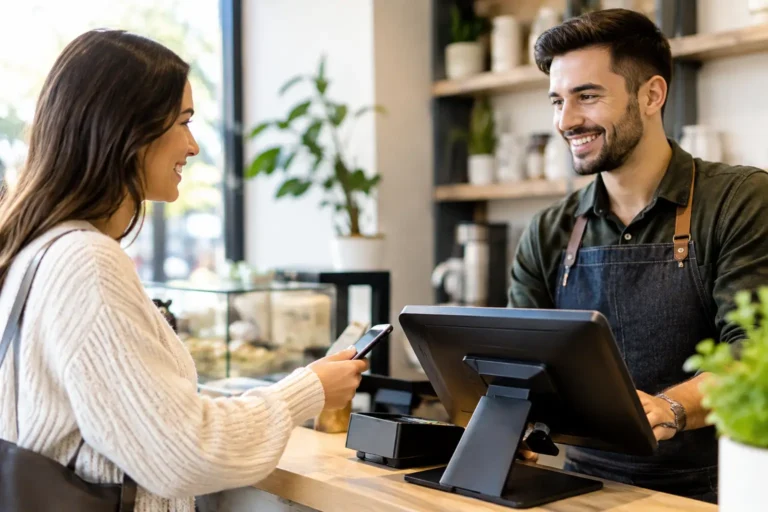
A regular who stops in twice a week is worth more than a one-time customer who found you through an ad. The challenge is recognizing that regular, giving them a reason to return, and measuring whether your efforts are paying off. Customer loyalty POS software puts those jobs at the checkout counter, where staff and customers already interact.
For restaurants, bars, retail stores, liquor stores, and service businesses, loyalty should not feel like another program employees have to manage after the sale. It should be part of the point-of-sale workflow: enroll a customer, apply an earned reward, record the visit, and keep the line moving. When the system is configured correctly, the result is better service, more useful customer data, and a practical reason for customers to choose your business again.
What Customer Loyalty POS Software Actually Does
At its most useful, loyalty software connects customer activity to your POS transaction data. A customer may earn points by spending a certain amount, receive a reward after a set number of visits, or qualify for a specific offer based on what they buy. Their phone number, card, account, or barcode identifies them at checkout.
That sounds straightforward, but the details matter. A coffee shop may want a simple visit-based reward because customers make frequent, smaller purchases. A liquor store may prefer points tied to dollars spent, which better reflects varied basket sizes. A restaurant may use birthday rewards, guest-specific offers, or incentives to bring back customers who have not visited in several weeks.
The POS connection is what makes these programs manageable. Staff should not need to calculate points manually or search through a separate app at the counter. The right setup lets the system apply the rules consistently while preserving a clear record of discounts, redemptions, and sales activity.
Why Loyalty Programs Work Best at the Point of Sale
Many small businesses have tried paper punch cards, email lists, or social media promotions. Each can have a place, but none gives a full picture of customer behavior on its own. Paper cards get lost. Email campaigns can be hard to connect to actual purchases. A discount posted online may reach people who were already planning to buy.
A POS-based loyalty program ties the offer to a real transaction. That gives owners clearer answers to practical questions: Are members visiting more often? Are rewards generating additional sales or simply discounting sales you would have received anyway? Which promotions bring customers back? Are certain locations, product categories, or time periods producing stronger repeat business?
For a busy operator, this also reduces dependence on memory and guesswork. Staff can see when a customer has a reward available. Managers can review program activity in reporting rather than trying to reconcile handwritten cards or separate spreadsheets after the fact.
There is a service benefit as well. A cashier who can acknowledge a returning customer and apply a reward accurately creates a better interaction. That does not mean every business should force a lengthy signup conversation at the register. In a fast lunch rush or a crowded bar, speed still comes first. The program needs to fit the pace of the business.
Choosing the Right Loyalty Structure
The best loyalty program is usually the one customers can understand without explanation. Complicated rules may look flexible on paper, but they create confusion at checkout and frustration when customers expect a reward that does not apply.
Points by purchase amount
A spend-based program awards points for dollars spent and lets customers redeem those points for a discount, item, or other benefit. This model often works well for retail, liquor stores, and businesses with wide price ranges. It gives frequent higher-value shoppers a reason to identify themselves on every visit.
The trade-off is that point values and redemption rules must be clear. If customers cannot tell what their points are worth, the reward loses impact. Keep the math simple enough that staff can explain it in one sentence.
Visits or punch-style rewards
Visit-based loyalty is familiar and easy to promote: buy a set number of items or make a set number of visits, then receive a reward. Restaurants, coffee shops, quick-service concepts, and some service businesses often benefit from this approach.
This structure can be especially effective when you want to build a routine. A customer who is close to earning the next reward has a reason to choose your location over a competitor. It may be less useful, however, for businesses where customers buy infrequently or make very large purchases only occasionally.
Targeted offers and customer groups
More advanced programs can support offers for birthdays, new members, lapsed customers, or customers who buy a particular product category. These tools can be valuable, but they require discipline. An offer should have a defined purpose, such as increasing weekday traffic or encouraging a return visit after 30 days.
Avoid sending discounts just because the system can send them. Constant promotions can train customers to wait for a deal and can cut into margins. A loyalty program should reward profitable behavior, not create a permanent discount expectation.
What to Look for in a Loyalty-Ready POS System
Not every loyalty feature works the same way, and a program is only as dependable as the system behind it. Before selecting software or adding loyalty to an existing POS, review how it will work during a normal shift, not just in a sales demonstration.
Start with enrollment. Can employees add a customer quickly using a phone number or another simple identifier? Can the business collect only the information it needs? Customers are more likely to participate when signup is easy and their information is handled responsibly.
Next, look at redemption controls. Managers should be able to set rules for who can apply rewards, what items or categories qualify, whether rewards can combine with other discounts, and how expired offers are handled. These controls help prevent mistakes and protect margins.
Reporting deserves the same attention as the customer-facing features. Useful reports show enrollment growth, member visits, sales tied to loyalty accounts, reward redemptions, and promotion results. The exact reports you need depend on your business, but they should make decisions easier, not create more data to sort through.
Finally, consider the complete environment. Loyalty software needs to work with payment processing, gift cards, inventory, online ordering where applicable, receipt settings, and the hardware at your counter. A feature that does not fit the rest of the operation can create more work than value.
Implementation Matters More Than a Feature List
A loyalty program can underperform even when the software is capable. Often, the issue is not the offer itself. The rules were never clearly configured, employees were not trained on the enrollment process, or the business did not explain the benefit to customers.
A proper rollout starts with a few decisions: what behavior you want to encourage, what reward you can afford, and how employees should introduce the program. Then the POS should be configured around those decisions, tested with real transactions, and reviewed before launch.
Training should cover more than button presses. Employees need to know how to enroll customers, find an account, explain rewards accurately, correct a mistake, and call for manager help when an exception arises. A short, clear script often works better than asking staff to improvise.
It is also wise to set a review date after launch. Give the program enough time to collect meaningful activity, then review whether enrollments are growing, whether rewards are being redeemed, and whether members appear to return more often. If the results are weak, adjust one part of the program at a time. Changing the reward structure, the messaging, and the enrollment process all at once makes it difficult to see what helped.
Local Support Makes Loyalty Easier to Maintain
For many owners, the concern is not whether loyalty features exist. It is who will help when a cashier cannot find a customer account, a promotion needs to change, or a POS update affects the workflow. Anonymous support queues are a poor fit when the counter is busy and customers are waiting.
A turnkey POS partner can help match the loyalty structure to the operation, install and configure the system, train the team, and remain available after go-live. At Run PC, that hands-on approach extends across POS hardware, payment processing, reporting, inventory tools, gift cards, and ongoing technical support. One accountable partner is often easier to work with than separate vendors for equipment, software, and service.
The goal is not to add technology for its own sake. It is to give your staff a dependable tool that recognizes repeat customers without slowing down the sale. Start with a reward your customers understand, measure the response, and keep refining the program around the people who already choose to do business with you.
