A card payment that will not process, a POS terminal that cannot reach the server, or an office with no internet can stop business fast. A 24/7 network monitoring service gives your technology team a chance to identify the warning signs before a small issue becomes a full interruption. For restaurants, retailers, professional offices, and multi-location businesses, that can mean fewer lost sales, fewer frustrated customers, and less time spent trying to diagnose a problem under pressure.
Monitoring is not simply a dashboard full of green and red lights. Done correctly, it is an ongoing service that watches the systems your business relies on, alerts the right people when performance changes, and creates a record that helps prevent repeat problems. It is one part of a practical managed IT plan built around technology you can count on.
What a 24/7 Network Monitoring Service Watches
Your network is the path between your computers, POS systems, payment devices, cloud applications, phones, Wi-Fi access points, printers, cameras, and internet connection. When that path is slow, unstable, or unavailable, the problem often appears somewhere else first. Staff may report that the POS is frozen, online ordering is delayed, files will not open, or customers cannot join guest Wi-Fi.
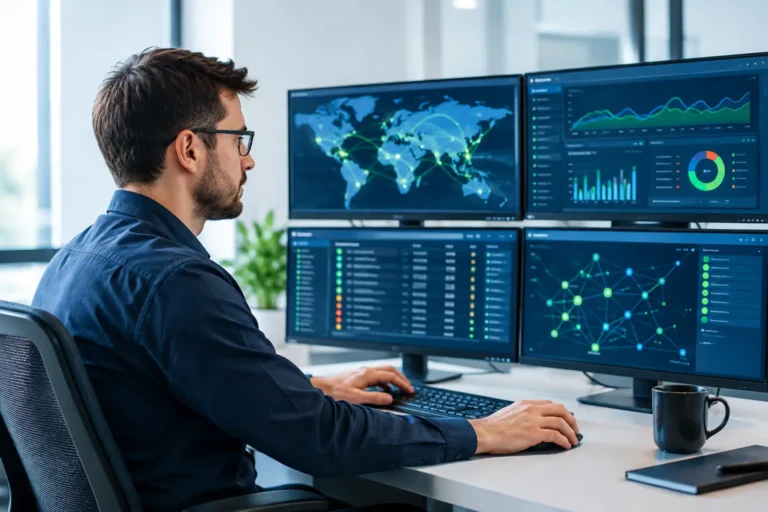
A properly configured monitoring service watches the underlying infrastructure so an IT provider can see what is actually happening. Depending on your environment, that may include firewalls, switches, wireless access points, servers, workstations, internet connections, backup systems, and critical business applications.
The service can track whether a device is online, how much bandwidth is being used, whether a hard drive is nearing capacity, whether a backup completed, and whether a network connection is experiencing packet loss or repeated dropouts. It can also identify unusual behavior, such as a device restarting unexpectedly or a workstation falling behind on security updates.
The goal is not to generate alerts for every minor event. Too many alerts create noise and make real problems easier to miss. Good monitoring is tailored to the business, with sensible thresholds and escalation procedures for equipment that truly affects operations.
Why Round-the-Clock Monitoring Matters
Many technology failures do not happen neatly between 9:00 a.m. and 5:00 p.m. A backup may fail overnight. A server may run out of storage after the office closes. A network device may lose connection early in the morning, just before a restaurant opens or a medical practice begins taking appointments.
Round-the-clock monitoring can catch these issues when there is still time to respond. In some cases, the issue can be resolved remotely before employees arrive. In others, an alert allows the support team to prepare replacement hardware, contact an internet provider, or schedule an on-site visit with a clearer understanding of the problem.
For a business that accepts payments, uptime is more than a convenience. It affects revenue, customer confidence, inventory accuracy, employee productivity, and the ability to close out a shift. For an office or professional practice, downtime can delay client work, disrupt communications, and create concerns about data access. Early detection reduces the chance that a small warning turns into a business-wide outage.
There is an important distinction, however. Twenty-four-hour monitoring does not always mean a technician is actively working every alert at every hour. Service providers may offer different after-hours response levels, and not every alert requires an immediate call. Before signing an agreement, ask what is monitored, which alerts trigger action, how urgent incidents are handled, and what response expectations apply outside normal business hours.
Monitoring Helps Prevent Problems, Not Just Report Them
The best value of monitoring is proactive maintenance. A support team that sees a firewall showing errors every few days can investigate before it fails completely. If storage on a server is gradually filling up, the team can expand capacity or clean up unnecessary files before users are locked out. If an internet connection is regularly dropping, documented monitoring data can help make the case with the service provider.
This is especially useful for businesses that have grown over time. A retail store may add online ordering, more payment terminals, security cameras, and guest Wi-Fi to a network designed for a few desktop computers. A professional office may move key software to the cloud while keeping local files and a line-of-business server. The network can still appear to work until busy periods expose its limits.
Monitoring provides a clearer picture of how systems perform under real conditions. That information supports better decisions about upgrades, wireless coverage, network segmentation, backup capacity, and replacement schedules. Instead of replacing equipment only after it fails, business owners can plan technology spending around actual need.
Monitoring and Cybersecurity Work Together
Network monitoring is not a replacement for cybersecurity, but it supports a stronger security posture. A managed IT provider can use monitoring tools to identify endpoints that are offline, missing updates, or reporting security concerns. It can also help detect unusual traffic patterns that deserve investigation.
A complete approach includes layers such as managed firewall protection, endpoint security, patching, secure access controls, cloud backup, and employee awareness. Monitoring ties those layers together by showing whether the systems are operating as expected.
For businesses handling customer payments, employee information, health-related data, or sensitive client records, visibility matters. You cannot protect devices you do not know about, and you cannot address failures you do not see. Regular review of network activity and device status helps reduce blind spots.
What to Look for in a Monitoring Partner
The tools matter, but the people and process behind them matter more. Monitoring software can send an alert, but it takes experienced support to determine whether it is a false alarm, a routine maintenance issue, or the start of a serious outage.
Look for a provider that begins with a clear inventory of your equipment and understands which systems are critical to your operation. A restaurant needs its POS, payment processing, internet connection, kitchen printers, and Wi-Fi designed around service hours. A dental office may prioritize patient management systems, secure workstations, imaging equipment, backups, and reliable connectivity between locations. The monitoring plan should reflect those differences.
You should also expect plain-language communication. Your provider should be able to explain what happened, what was done, whether there is any ongoing risk, and what should be addressed next. Technical details are useful, but business owners need answers that help them make decisions.
Local accountability can make a real difference when a problem requires hands-on work. Remote support resolves many issues, but there are times when a failed switch, damaged cable, power problem, or wireless coverage issue requires someone to be on-site. Run PC combines monitoring with managed IT support, network services, cybersecurity, repair, and on-site assistance, so businesses have one partner accountable for the full environment.
Start With the Systems That Cannot Go Down
Not every device requires the same level of attention. Start by identifying the systems that would immediately affect your ability to serve customers, process payments, communicate, or access critical data. Then make sure the monitoring plan covers those systems first.
A useful conversation with an IT provider should cover your current equipment, business hours, remote locations, cloud services, backup requirements, growth plans, and the cost of downtime. It should also establish who receives notifications and who can authorize emergency work. Those details turn monitoring from a technical feature into a dependable business service.
Your network should not demand attention only when something breaks. With the right monitoring, maintenance, and support plan, you can spend less time reacting to technology problems and more time serving customers with confidence.
