
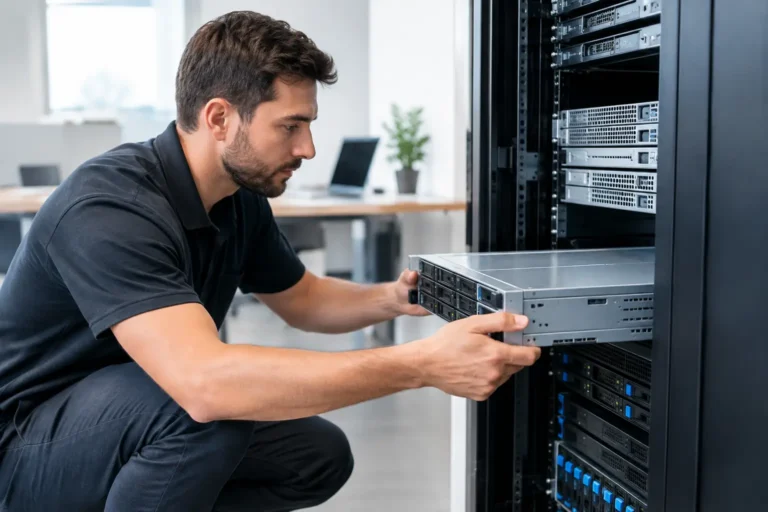
A server that goes down during a busy lunch rush, while payroll is due, or when a customer record is needed can quickly become more than an IT issue. It can stop sales, frustrate staff, and put business data at risk. That is why server installation for small businesses should begin with the way your company actually operates, not with a box of hardware.
For some organizations, a properly configured on-site server is the right foundation for shared files, business applications, point-of-sale data, user access, and backups. For others, cloud services or a hybrid setup will make more sense. The goal is not to buy the largest server available. It is to put dependable technology in place that fits your workload, budget, and plans for growth.
Start With What the Server Needs to Do
A server is not just a larger desktop computer. It is a central system designed to deliver services to multiple users and devices. Before selecting hardware, identify the jobs it will handle every day.
A retail store may need a server to support POS terminals, inventory, reporting, back-office workstations, and secure file storage. A dental or medical practice may rely on one for practice-management software, imaging files, user permissions, and protected records. An office may need shared documents, line-of-business applications, network authentication, and locally retained backups.
Usage matters as much as the number of employees. Five staff members working with large design files can demand more storage and network capacity than 20 users who primarily work in email and web applications. The same is true for a restaurant with several POS stations, kitchen printers, online ordering integrations, and multiple locations.
Ask practical questions early: Which applications must remain available if the internet is down? How much data is being stored now? How quickly is that data growing? Who needs access, and from where? What would one hour of downtime cost during normal business operations? Clear answers prevent undersized systems and unnecessary spending.
Server Installation for Small Businesses Is a Design Project
Reliable results come from planning the entire environment, not simply connecting a server to the network. Hardware, power, cabling, Wi-Fi, internet service, security, backups, and support all affect whether the system performs when it is needed.
Choose Hardware for Business Duty
Business servers are built for continuous workloads and include features that matter when something fails. Error-correcting memory, redundant storage, remote management, server-grade components, and warranty options can reduce the impact of a hardware issue. A custom-built server may be a good fit when a business needs specific storage, performance, or application requirements. In other cases, a proven standard configuration offers better value.
Storage deserves special attention. Redundant drives can keep the server operating after a single drive failure, but redundancy is not a backup. If files are deleted, encrypted by ransomware, or damaged by a software issue, those changes can be copied across every drive in the array. Businesses need both redundancy for availability and independent backups for recovery.
Plan capacity with room to grow. Adding storage or memory later may be possible, but emergency upgrades are rarely convenient or cost-effective. A sensible design considers expected growth over the next three to five years without paying for capacity that will sit unused.
Build a Network That Supports the Server
A fast server cannot overcome poor cabling, aging switches, weak Wi-Fi, or an overloaded internet connection. During installation, the network should be reviewed for speed, reliability, and separation between different kinds of traffic.
For example, POS devices, office computers, guest Wi-Fi, security cameras, and payment-related equipment should not all be treated as one open network. Segmenting traffic can improve performance and help limit the spread of a security problem. It also makes troubleshooting easier when a particular device or application is not behaving as expected.
The physical installation matters, too. Servers should be placed in a clean, secure location with adequate airflow and restricted access. A locked rack or cabinet may be appropriate for many businesses. Plugging critical equipment into a quality battery backup provides short-term power during an outage and allows the server to shut down safely if the outage lasts longer.
Protect Accounts, Data, and Access
The most expensive server is not useful if unauthorized users can access it or ransomware can lock it down. Security should be configured as part of the installation, not added after an incident.
That includes unique user accounts, strong password policies, multi-factor authentication where appropriate, limited administrator access, endpoint protection, security updates, and a properly configured firewall. Staff should have access to the files and applications required for their jobs, not unrestricted access to every part of the network.
Remote access requires extra care. Employees and owners often need to work from home or check systems after hours, but opening a remote connection without the right protections creates a real risk. Secure remote access, access controls, and logging help provide flexibility without leaving the business exposed.
Backups Must Be Tested, Not Assumed
Many businesses discover weaknesses in their backup plan only after a hard drive fails, a server is damaged, or ransomware appears. A backup strategy should cover more than one type of failure and should include a clear recovery process.
A dependable approach usually includes local backup for quicker restores and an off-site or cloud copy for events such as theft, fire, flood, or a major equipment failure. Backups should run automatically, be encrypted when appropriate, and be monitored so failed jobs do not go unnoticed for weeks.
Just as important, test the restore process. Can a single deleted file be recovered? Can the business application be restored? How long would it take to get critical operations running after a server failure? The answers shape the right backup retention, storage, and disaster recovery plan.
Plan the Installation Around Business Hours
Replacing or installing a server should not be a surprise event for employees. A written installation plan sets expectations and protects day-to-day operations. It should identify the systems being moved, the order of work, expected downtime, responsibilities, and a fallback plan if an unexpected issue occurs.
For a retail or hospitality business, much of the work may need to happen after closing or during a slower operating window. For a professional office, a weekend installation can reduce disruption. The timing depends on the business, but the preparation should always include verified backups and a clear plan for reconnecting workstations, printers, POS equipment, and shared applications.
Training is part of a successful launch. Employees do not need to understand server hardware, but they should know what changes affect them, where shared resources are located, and who to contact if something is not working. Clear communication prevents small issues from becoming workarounds that create larger problems later.
Decide Who Will Own Ongoing Support
A server is not a set-it-and-forget-it purchase. It needs updates, monitoring, backup checks, storage reviews, security oversight, and prompt attention when alerts appear. The decision is whether an internal employee has the time and experience to manage those responsibilities or whether a managed IT partner should handle them.
For many small businesses, ongoing management is the better value because it turns unpredictable emergencies into scheduled maintenance and proactive support. Monitoring can identify a failing drive, low disk space, backup error, or security concern before it interrupts operations. It also provides accountability when the business needs help, rather than leaving an owner to sort through multiple vendors.
Run PC helps Northern Colorado businesses plan, configure, install, and support servers alongside the networks, cybersecurity, backups, POS systems, and workstations that depend on them. One accountable technology partner can make a meaningful difference when the issue involves more than one device.
The right server setup should give your team confidence, not another item to worry about. Start with the work your business needs to accomplish, protect the data that keeps it running, and choose support that will still answer the phone after installation day.
