
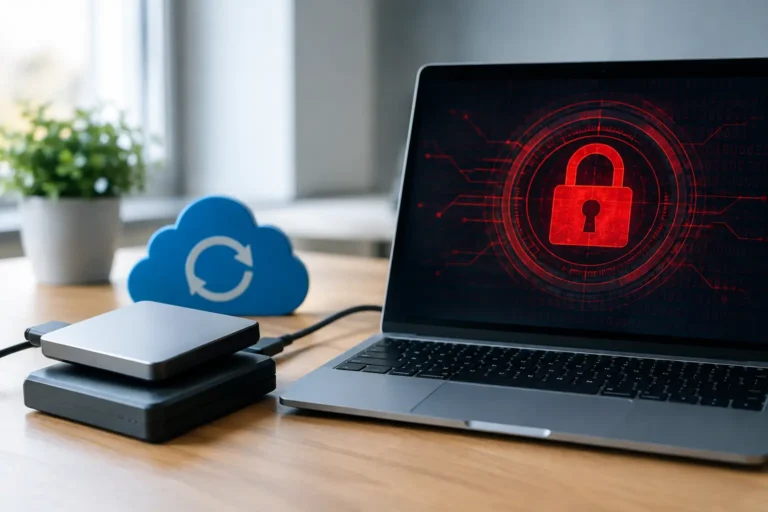
A restaurant can replace a damaged terminal. A retail store can work around a failed printer for a few hours. But when ransomware locks the POS database, accounting files, customer records, shared documents, and the backups meant to restore them, the disruption can put the whole business on hold. Can ransomware encrypt backups? Yes, it can – especially when backups are connected, accessible, or protected by the same credentials as the systems they are supposed to recover.
That does not mean backups are ineffective. It means a backup strategy has to account for how modern ransomware attacks actually work. A copy of data is only useful if attackers cannot find it, alter it, encrypt it, or delete it when they gain access to your network.
How ransomware reaches backup systems
Older ransomware attacks often focused on one computer or a shared network drive. Current attackers are more patient. They may spend days or weeks inside an environment, looking for administrator accounts, mapped drives, cloud storage, backup software, and recovery documentation before they deploy encryption.
Once they obtain high-level access, they can target backups in several ways. They may encrypt files on a network-attached storage device, delete backup jobs and recovery points, change retention settings, or use compromised cloud credentials to remove stored data. Some attacks specifically look for backup-management servers because those systems can provide access to every protected device at once.
This is why a backup drive permanently connected to a server is not enough. It may protect against accidental file deletion or a hard-drive failure, but it is still visible to malware running with the right permissions. The same concern applies to a cloud backup account with a weak password, no multi-factor authentication, or an administrator account used for routine daily work.
For businesses that rely on point-of-sale systems, the stakes are especially clear. Losing a current POS database can affect open tickets, menu changes, inventory counts, employee records, loyalty information, and reporting. A business may be able to accept limited payments during an outage, but reconstructing a week of operational data is costly and frustrating.
Can ransomware encrypt backups in the cloud?
Cloud backup is a valuable part of disaster recovery, but it is not automatically immune to ransomware. The answer depends on how the service is configured and managed.
If cloud backups are simply synchronized files, an encrypted or deleted local file can synchronize to the cloud. Version history may provide a way back, but only if enough clean versions are retained and the attacker cannot erase them. Likewise, if criminals obtain an account with full administrative access, they may try to delete cloud recovery points or shorten retention periods.
A purpose-built backup platform is different from basic file synchronization. It can keep versioned backups, isolate storage, restrict deletion, alert on unusual activity, and maintain data for a defined retention period. Some platforms offer immutable storage, meaning stored recovery data cannot be changed or deleted for a set amount of time, even by an administrator account. That is one of the strongest protections available, but it still needs correct configuration and regular monitoring.
Cloud backup also has a practical trade-off: recovery speed. Restoring a few documents is very different from restoring a multi-terabyte server, a virtual machine, or a complete POS environment over an internet connection. A good plan considers both where the data is stored and how quickly the business needs systems running again.
The difference between a backup and a recovery plan
Many organizations have backups. Fewer have confirmed they can recover from a ransomware event.
A recovery plan identifies what must come back first, who has authority to start recovery, where clean credentials are stored, and how operations continue while systems are unavailable. For a medical or dental practice, that may mean restoring scheduling and patient-management systems before less-critical archives. For a restaurant group, it may mean prioritizing POS servers, payment-related configurations, and location-level network equipment.
Recovery also requires clean systems. Restoring data onto an infected server can simply reintroduce the problem. In a serious incident, the affected devices may need to be isolated, rebuilt, patched, scanned, and validated before data is restored. That takes coordination between backup, endpoint security, networking, and the applications the business uses every day.
The most useful question is not, “Do we have a backup?” It is, “Could we restore our most important systems to a clean environment within the downtime our business can tolerate?”
Build backups ransomware has a harder time reaching
A practical starting point is the 3-2-1-1-0 approach. Keep at least three copies of important data, on two different types of storage, with one copy kept off-site. Add one copy that is offline or immutable, then aim for zero backup errors through regular verification.
The framework is simple, but the details matter:
- Keep a protected off-site copy that is not dependent on the same building, server rack, or network as production systems.
- Use immutable or offline backup storage for critical servers and business data whenever possible.
- Separate backup administration from everyday user accounts. A staff member should not need backup-system administrator rights to read email or process invoices.
- Require multi-factor authentication for backup platforms, cloud accounts, remote access, and privileged administration.
- Limit which systems can communicate with backup storage. Network segmentation reduces the chance that one compromised computer can reach everything.
- Monitor backup success, storage capacity, unusual deletion activity, and changes to retention policies.
Not every business needs the same design. A small office may need encrypted endpoint backups and cloud retention for essential files. A multi-location retailer, practice, or restaurant operation may need image-level server backups, local recovery capability, off-site replication, and documented restoration priorities. The right approach depends on data volume, compliance obligations, available internet bandwidth, and the real cost of downtime.
Test restores before an emergency forces the issue
A green check mark on a backup dashboard does not prove the recovered files will be usable. Backups can complete while the wrong folders are excluded, an application database is inconsistent, or a retention policy leaves too little history to recover from an attack discovered late.
Testing should include more than opening a single document. Restore a sample of shared files, verify application data, confirm that users can access what they need, and measure how long the process takes. For critical systems, test a full server or virtual-machine recovery in a controlled environment. Document the result and address failures while the business is operating normally.
It is also wise to keep recovery instructions somewhere attackers cannot easily reach. If documentation lives only on the compromised network, staff may not know which backup set to use, where credentials are stored, or how to contact key vendors. Printed emergency contacts or securely stored offline documentation can save valuable time.
Reduce the chance that ransomware gets in
Backups are the recovery layer, not the only defense. The best outcome is preventing the attack from spreading in the first place.
That means keeping operating systems, POS workstations, servers, firewalls, and business applications patched. It means using managed endpoint protection, filtering suspicious email, removing unnecessary administrator access, and training employees to pause before opening unexpected attachments or entering passwords on unfamiliar pages. Remote access deserves particular attention because poorly secured remote tools are a common path into small-business networks.
A managed IT provider can help by watching for failed backups, outdated systems, endpoint alerts, and risky account activity before those issues become a business interruption. The value is not just software. It is having someone accountable for reviewing the alerts, confirming the backups, and helping you make decisions when an incident occurs.
A backup strategy should match your business reality
There is no single product that makes ransomware harmless. Offline or immutable copies improve protection, but they need planning. Frequent backups reduce data loss, but they may use more storage. Local recovery can be faster, while off-site recovery better protects against fire, theft, and major equipment loss. The goal is to make deliberate choices rather than discover gaps after attackers have already encrypted your systems.
For Northern Colorado businesses, technology you can count on starts with knowing that your recovery plan works under pressure. Review where your backups live, who can access them, how long clean versions are retained, and when you last completed a successful restore test. Those answers turn a backup from a hopeful safety net into a real path back to business.
