A lunch rush can expose every weak point in a restaurant’s ordering process. The phone keeps ringing, a line forms at the counter, staff repeat modifiers, and a handwritten ticket gets misread. Mobile ordering for restaurants gives guests another dependable way to place orders while giving the operation a clearer path from customer request to kitchen production.
The technology itself is not the goal. Better service is. A well-planned mobile ordering setup should reduce friction for guests, protect order accuracy, keep staff informed, and feed reliable sales data into the point-of-sale system. When it is treated as a connected business system rather than a standalone app, it can be a practical improvement for restaurants, bars, coffee shops, and fast-casual concepts across Northern Colorado.
What Mobile Ordering Should Do for a Restaurant
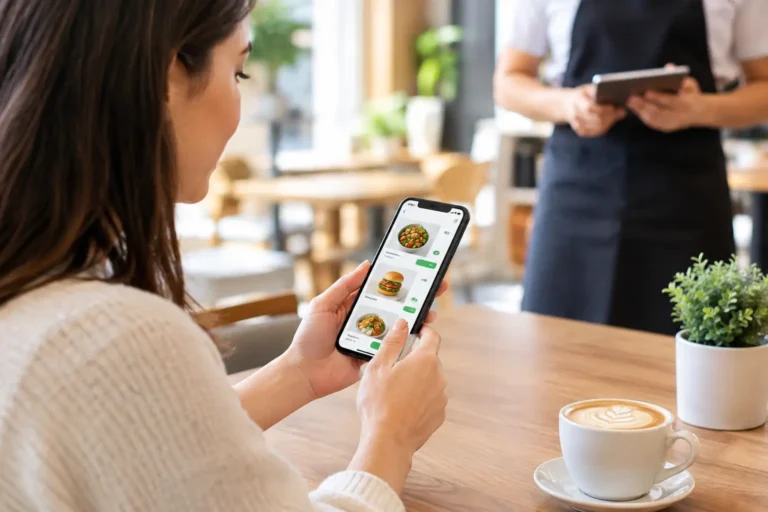
Mobile ordering can take several forms. A guest may order from a restaurant’s website before arrival, use a branded ordering page for pickup or delivery, or scan a QR code at a table to submit an order from a phone. Some operations also use mobile devices in the hands of servers to enter orders tableside.
These approaches solve different problems. Online pickup ordering is often the best starting point for a counter-service restaurant that wants to shorten lines and capture orders outside busy periods. Table ordering can help a brewery, patio-focused restaurant, or casual bar serve more guests with the same floor staff. Handheld ordering is often a better fit for full-service dining rooms where personal service remains central but servers lose time walking tickets back to a terminal.
The common benefit is that details are entered once by the guest or employee and then passed directly into the restaurant workflow. That can reduce transcription errors, speed ticket delivery, and make it easier to apply modifiers consistently. It can also give customers control over the pace of ordering, which matters when they are ordering ahead between meetings, managing children at a table, or trying to avoid a crowded counter.
Still, mobile ordering is not automatically the right answer for every service model. A fine-dining restaurant may want technology that supports staff rather than asking guests to handle the whole transaction. A high-volume kitchen with limited production capacity may need to limit online order volume at certain times. The right setup depends on how the restaurant serves, what the kitchen can produce, and where staff currently lose time.
Mobile Ordering for Restaurants Starts With the POS
The most important question is not which ordering page looks the best on a phone. It is whether the ordering system communicates accurately with the POS, payment processing, menu database, and kitchen workflow.
When online and mobile orders are connected to the POS, menu prices, taxes, modifiers, and availability can be managed from a central system. Orders reach the correct prep area without someone re-entering them by hand. Sales reports reflect more of the operation in one place, and inventory tracking has a better chance of staying current.
A disconnected system creates avoidable work. Staff may need to watch a separate tablet, manually enter orders into the POS, reconcile reporting, or explain why a menu item shown online is unavailable. During a rush, those extra steps become delays. They can also create charge disputes and customer frustration when the order placed on a phone does not match the ticket the kitchen receives.
Before selecting a mobile ordering solution, restaurant owners should confirm how it handles these operational details:
- Menu items, modifiers, prices, taxes, and 86’d items
- Pickup and delivery timing, order throttling, and holiday hours
- Payment processing, refunds, tips, and gift card acceptance
- Kitchen printing or kitchen display routing by station
- Customer data, loyalty rewards, and reporting within the POS
A feature list is useful, but a real workflow review is better. Walk through a typical order from the customer’s phone to the kitchen, then through pickup, payment, refund, and end-of-day reporting. That process reveals whether the technology supports the way the business actually operates.
Menu Design Matters More Than Most Owners Expect
A mobile menu is not simply a copy of a printed menu. It must be easy to read quickly, especially on a small screen. Categories should make sense to a first-time customer. Modifier choices should be specific enough to avoid mistakes but not so complicated that ordering takes longer than speaking to a cashier.
For example, a burger item may need a clear choice of side, cooking temperature, cheese, and allergy-related requests. A coffee shop might need size, milk choice, temperature, espresso shots, and flavor selections. Each option should map cleanly to the kitchen ticket and, where applicable, inventory records.
Use good menu photography selectively rather than filling every item with large images that slow down ordering. Keep item names familiar, descriptions concise, and prices current. If an item is commonly unavailable after a certain hour, configure the system so it is not offered when the kitchen cannot fulfill it.
Capacity Controls Protect the Guest Experience
More orders are not helpful if the kitchen cannot produce them on time. An online ordering system needs reasonable pickup estimates and the ability to control order flow during a rush. Some restaurants benefit from scheduled pickup windows. Others need a temporary pause option when a major catering order, short staffing, or equipment failure affects production.
This is also where clear customer communication matters. A realistic 35-minute estimate is better than a 15-minute promise that becomes a 40-minute wait. Guests are generally understanding when a restaurant sets expectations early and fulfills them consistently.
Build a System Staff Will Actually Use
The best mobile ordering setup gives employees clarity, not another screen to babysit. Staff need to know where incoming orders appear, who checks them, how changes are handled, and what to do if a customer arrives before an order is ready.
Training should cover normal operations as well as exceptions. What happens when a guest calls to change a mobile order? Can the team issue a partial refund? How does a cashier handle an order that did not print to the kitchen? Who changes an item to unavailable? These are ordinary questions, and employees should not have to guess during a busy shift.
Hardware and network reliability deserve the same attention as software. A tablet at the counter, kitchen printer, Wi-Fi access point, payment terminal, and POS station are all part of one operating system. If the wireless network drops, staff need a clear fallback procedure. If a kitchen printer fails, the team needs prompt support and an alternative way to receive tickets.
That is why a turnkey deployment can be valuable. Rather than buying pieces from different vendors and trying to coordinate support later, a restaurant can work with one accountable partner for POS hardware, ordering integration, installation, configuration, training, payment processing, and ongoing technical help. Run PC helps businesses evaluate those pieces as a complete system, not a collection of unrelated products.
Measure Results Beyond Order Volume
Once mobile ordering is live, review the numbers that show whether it is helping the business. Order volume is one measure, but it does not tell the whole story. Look at average ticket size, repeat customer activity, pickup wait times, order error rates, labor pressure during peak periods, and refunds or voids.
Mobile orders may increase average checks because guests have time to review add-ons and modifiers without feeling rushed at the counter. On the other hand, a poor menu design can lead to abandoned carts or confusing orders. Review the data alongside comments from staff and customers to find the source of the issue.
It is also worth comparing processing costs, marketplace commissions, and labor savings. Third-party delivery platforms may create reach for a restaurant that needs new customers, but their fees can be significant. Direct mobile ordering may offer a stronger long-term customer relationship and better margins, especially for pickup orders. Many restaurants use both, but they should understand the cost and purpose of each channel.
Keep the Customer Relationship in View
A mobile order creates useful information when customers choose to share it: purchase history, favorite items, visit frequency, and contact preferences. That information can support loyalty programs and thoughtful promotions, such as a reminder about a seasonal menu or a reward for repeat visits.
Use it with restraint. Customers appreciate relevant offers and easy reordering. They do not appreciate frequent messages that feel disconnected from their habits. Make it easy to opt in, explain the value of loyalty participation, and protect customer information with sound access controls and dependable business technology.
Mobile ordering works best when it feels like a natural extension of a restaurant’s service, not a replacement for it. Start with the bottleneck that costs the most time or creates the most errors, build the system around the POS and kitchen workflow, and train the team before the next rush. The right technology should leave guests with a simple impression: ordering was easy, the food was ready when promised, and the restaurant was prepared for them.
